My iPhone Is Plugged Into the Wall. So Why Is an App Still Killing the Battery?
My iPhone Is Plugged Into the Wall. So Why Is an App Still Killing the Battery?
A F’nAround look at mobile editing, battery drain, Apple’s own App Store rules, and a question that seems increasingly relevant as phones become computers: how much power should an app actually be allowed to consume?
I have been accused of using my cellphone like a laptop and my laptop like a desktop.
That’s fair.
There is absolutely no hiding the fact that I abuse electronics.
I shoot video on my phone. I edit video on my phone. I upload from my phone. I research from my phone. I answer emails from my phone. I manage websites from my phone.
If somebody eventually discovers a way to conduct a federal audit from an iPhone while simultaneously exporting a Reel, I’ll probably try that too.
So when one of my phones eventually begins begging for death, I generally don’t blame the manufacturer.
I blame me.
But using technology far more heavily than the average consumer also produces something useful:
data.
You start recognizing what normal heavy use looks like.
You know what happens when you’re shooting video for hours with your DJI camera.
You know what happens when you’re uploading massive files.
You know roughly how quickly your battery disappears.
And eventually you start recognizing when something doesn’t look normal.
That’s how I arrived at a surprisingly simple question:
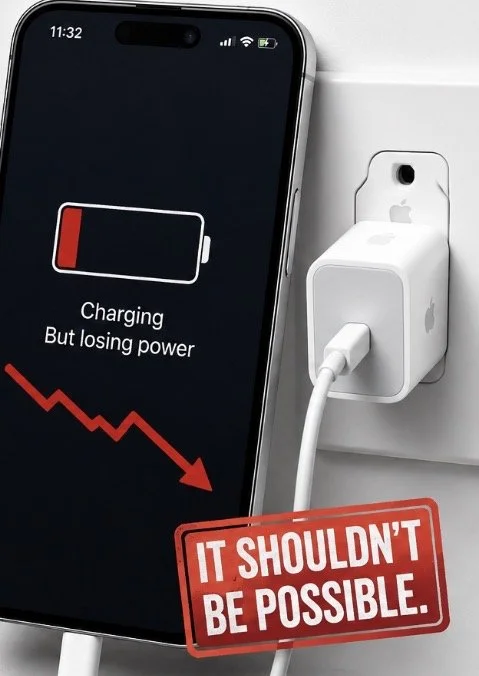
How can an application available through Apple’s App Store consume enough power that an iPhone’s battery percentage continues falling while the phone is plugged into a wall charger?
Not charging slowly.
Not staying at the same percentage.
Actually going backward.
And if that happens repeatedly, particularly with processor-intensive applications such as mobile video editors, there are several additional questions worth asking.
How much energy should an application reasonably consume?
What happens to the battery when the phone is simultaneously performing an intensive workload, generating heat and attempting to charge?
Does Apple measure this?
Does Apple regulate it?
And perhaps most importantly:
Why doesn’t the consumer know any of this before downloading the application?
First, the Important Part: This Can Actually Happen
An iPhone losing battery while connected to power does not automatically mean something malicious is occurring.
Electricity coming from a charger isn’t an unlimited faucet.
Apple currently sells a 20-watt USB-C power adapter compatible with numerous iPhones and advertises it as a fast-charging solution.
But charging isn’t simply:
20 watts in = 20 watts into the battery.
The phone itself is consuming power simultaneously.
The display needs power.
The CPU needs power.
The GPU needs power.
Wireless radios need power.
Storage operations consume power.
Video processing consumes power.
And charging itself generates heat.
Apple’s own developer documentation explains that heavy CPU usage substantially increases power consumption and that networking, graphics and other hardware systems add additional energy demands.
Independent testing gives some perspective. Notebookcheck measured an iPhone 16 Pro consuming as much as approximately 14.4 watts under its particular full-load test. That is not a measurement of Edits or any specific editing workload, and it shouldn’t be treated as one. It does demonstrate, however, that a modern iPhone can consume power in the same general order of magnitude as the output of a common phone charger.
Then temperature enters the equation.
Apple says that when an iPhone’s internal temperature becomes too high, charging can slow or stop entirely. Performance can also be reduced.
Now the observation begins making considerably more sense.
Imagine simultaneously editing or rendering high-resolution video, driving the CPU and GPU, illuminating the display, accessing storage, potentially downloading or uploading assets, and charging the battery.
The workload produces heat.
Charging produces additional heat.
The device attempts to protect itself by reducing charging.
But the application continues doing computational work.
At that point, it is entirely plausible for the battery percentage to remain flat or even decrease despite the cable being connected.
That isn’t proof of wrongdoing.
It is physics meeting thermal management.
But it leads somewhere considerably more interesting.
Apple Already Has a Rule About This.
Buried inside Apple’s App Review Guidelines is Section 2.4.2, Hardware Compatibility.
And Apple is remarkably direct.
Applications are supposed to use power efficiently and operate without risking damage to the device.
Apple specifically says applications should not rapidly drain the battery, generate excessive heat or put unnecessary strain on device resources.
That changes the question.
Because now we’re no longer inventing a standard and demanding Apple follow it.
Apple already created the standard.
The question becomes:
What does “rapidly” mean?
Ten percent per hour?
Twenty percent?
Forty?
Does Apple have an internal threshold?
Does that threshold change depending upon what the application is doing?
A navigation application legitimately operating GPS obviously consumes more power than a calculator.
A video editor rendering 4K footage obviously requires more computation than a weather application.
Apple itself acknowledges this distinction in its developer documentation. High energy consumption isn’t automatically evidence of a problem when the user deliberately initiates an intensive task. Developers are instead told to look for unexpected energy spikes and inefficient work.
That’s reasonable.
But it creates a fascinating regulatory gray area.
Apple Can Measure This Stuff.
This may be the most interesting part.
Apple provides developers with extensive power-measurement infrastructure.
Xcode can analyze application battery usage.
Apple’s developer systems can distinguish power consumption associated with CPU and GPU processing, networking, displays, Bluetooth, location, cameras and other components.
MetricKit provides power-related performance information.
Apple can generate energy exception reports when applications consume significant amounts of energy.
And Apple’s Power Profiler can analyze the subsystems responsible for an application’s power demand.
In other words:
Energy consumption isn’t some mysterious phenomenon nobody can measure.
The ecosystem already measures it.
Developers can see it.
Apple has built tools specifically for diagnosing it.
Yet open an App Store listing as a consumer.
You can see the application’s age rating.
You can see its privacy disclosures.
You can see compatibility.
You can see approximately how much storage it occupies.
You can see whether purchases are available.
What you don’t receive is anything resembling:
ENERGY IMPACT: HIGH
or
Extended use of this application may substantially increase battery consumption and device temperature.
That seems like an increasingly strange omission.
Then I Tried Edits
One application repeatedly caught my attention: Meta’s Edits video editor.
And again, mobile video editing is inherently resource-intensive.
Edits advertises 4K exporting, high-quality recording, frame-precise editing, effects and other advanced video tools.
So substantial battery consumption isn’t surprising.
What caught my attention was the degree of it.
I’ve experienced situations where my phone was connected to power and the battery percentage nevertheless continued declining during intensive editing.
Could that be my particular phone?
Absolutely.
Could battery health contribute?
Yes.
Could temperature contribute?
Definitely.
Could charger wattage matter?
Of course.
Could a particular application version contain an optimization problem?
Also yes.
Which is why anecdotal experience shouldn’t become a declaration that an application is defective.
So I checked whether anyone else had complained.
They had.
On Apple’s own App Store listing for Edits, one reviewer specifically complained in September 2025 that the application drained the phone’s battery extremely quickly and also described freezing problems during editing.
That doesn’t establish the prevalence of the issue.
One review isn’t scientific evidence.
But it does establish something useful:
the observation isn’t unique.
Other intensive editing applications encounter similar user complaints. CapCut’s own support documentation acknowledges that high-resolution and complex mobile projects can overload device resources, and its support material specifically identifies overheating and thermal throttling as potential problems during mobile exports.
Again, none of this means mobile editing applications are secretly murdering phones.
It means mobile editing is now pushing phones into workloads that were once primarily performed by computers.
And our consumer-information system hasn’t necessarily caught up.
Why Heat Matters More Than the Battery Percentage.
This is where the discussion becomes less funny.
Lithium-ion batteries are consumable components.
Apple says batteries in iPhone 14 models and earlier were designed to retain approximately 80% of original capacity after 500 complete charge cycles under ideal conditions. Batteries in iPhone 15 models and later are designed to retain 80% after 1,000 complete cycles under ideal conditions. Actual results depend upon how devices are used and charged.
But cycle count isn’t the only consideration.
Temperature matters.
Apple itself warns:
Using an iPhone in very hot conditions can permanently shorten battery life.
That produces the part of this equation worth investigating.
An intensive application increases processing demand.
Processing generates heat.
Charging generates heat.
Heat can cause iOS to reduce charging speed.
The application continues demanding energy.
And excessive heat over time isn’t particularly friendly to lithium-ion battery longevity.
That doesn’t mean opening Edits three times requires ordering a new iPhone.
It means sustained high-energy workloads deserve more transparency than consumers currently receive.
The Planned-Obsolescence Question.
And here is where I’m deliberately putting the brakes on my own theory.
The tempting conclusion is:
Apps burn through batteries.
Dead batteries encourage phone upgrades.
Apple sells phones.
Therefore Apple has an incentive to tolerate inefficient applications.
That’s a wonderful conspiracy theory.
It is also not something the available evidence establishes.
There is a long history of legitimate consumer-policy disputes surrounding smartphone battery longevity and repairability, but that’s different from proving Apple intentionally allows third-party applications to degrade batteries in order to generate hardware sales.
I found no credible evidence establishing that.
In fact, Apple’s public developer documentation repeatedly tells developers to minimize unnecessary energy consumption, and Apple’s operating system includes thermal and charging protections designed to reduce battery damage.
So accusing Apple or Meta of intentionally destroying batteries would outrun the evidence.
The better question is more interesting anyway:
Does the current system create enough accountability for software energy consumption?
Europe Has Already Started Regulating the Hardware Side
This issue becomes even more interesting when you look across the Atlantic.
New European Union requirements applying since June 20, 2025 established durability, repairability and energy-efficiency standards for smartphones and tablets.
Among other requirements, covered devices generally must have batteries capable of surviving at least 800 charge cycles while retaining at least 80% of their original capacity. The regulations also address spare-part availability, repairability and operating-system support.
Consumers also receive energy-label information including battery endurance and repairability information.
That is a fundamentally different philosophy.
Instead of simply saying:
“Here’s your phone. Good luck.”
Regulators are increasingly treating device longevity as measurable consumer information.
Which raises an obvious next question.
If governments can create durability standards for the hardware, why shouldn’t there eventually be transparency standards concerning the software constantly running on that hardware?
Imagine an App Store Energy Label.
Apple already possesses much of the infrastructure necessary to make something like this possible.
Imagine opening an application listing and seeing:
Typical Energy Impact: Moderate
Intensive Operations: Very High
Background Energy Impact: Low
Thermal Impact During Extended Use: High
Measured on: Current-generation iPhone
Or perhaps something even simpler:
Battery Impact
Low / Moderate / High / Extreme
The rating wouldn’t need to punish legitimate high-performance software.
A 4K video editor should consume considerably more power than Notes.
That’s expected.
What matters is allowing consumers to understand the tradeoff.
The same logic already exists with nutritional labels.
Nobody is banning cheesecake.
We simply decided that consumers deserve to know what is in the cheesecake before eating the entire thing.
Maybe software has reached the same point.
And Maybe Apple’s Existing Rule Needs a Number.
Apple’s App Store rule sounds great:
Applications shouldn’t “rapidly drain” batteries.
But “rapidly” isn’t terribly useful to consumers without a measurable definition.
So what constitutes rapid battery drain?
How does Apple test it?
How frequently are applications tested for sustained energy consumption?
Does Apple compare new versions against previous versions?
What happens when an update substantially increases energy consumption?
Can an application fail App Review specifically because of excessive foreground energy use?
How does Apple distinguish computationally necessary power consumption from inefficient software?
And if Apple has enough telemetry to provide developers with battery metrics from deployed applications, why isn’t some standardized version of that information available to the person whose battery is actually being consumed?
Those are questions worth asking Apple.
And Meta.
And Adobe.
And TikTok.
And every company increasingly asking consumers to perform desktop-class workloads on a device small enough to fit in their pocket.
Because the Phone Isn’t Really a Phone Anymore.
That’s ultimately the larger story.
Calling an iPhone a “phone” in 2026 is increasingly ridiculous.
It’s a camera.
Editing workstation.
Navigation system.
Gaming console.
Payment terminal.
Communications platform.
Scanner.
Research tool.
Publishing platform.
And, occasionally, apparently, something we use to call another human being.
Applications have evolved accordingly.
We’re asking phones to perform workloads that would have been legitimate desktop computing tasks not very long ago.
The processors can increasingly handle them.
The software can increasingly perform them.
But the battery remains a finite chemical object sitting behind the screen.
And maybe our expectations for software regulation need to evolve along with the processors.
Because if an application can consume enough energy that an iPhone connected to a wall outlet still loses charge while performing the application’s core function, I don’t automatically think the application should be prohibited.
I don’t automatically think somebody is intentionally destroying my battery.
And I definitely don’t think my experience alone proves some grand planned-obsolescence conspiracy.
But I do think consumers deserve to know how expensive an application is in something other than dollars.
Storage has a number.
Cellular data has a number.
Screen time has a number.
Battery health has a number.
Charging cycles have a number.
Apple even gives developers tools capable of measuring application energy consumption.
So maybe it is time for applications to have a number too.
Because right now the App Store can tell me whether an application contains gambling, violence, advertising and in-app purchases.
It can tell me what personal information the developer says it collects.
It can tell me whether my phone is compatible.
But apparently I may have to download the application, plug my phone into the wall, watch the battery percentage continue moving in the wrong direction and ask:
Wait. How the hell is it doing that?